
Stay in the Loop: eLEAP General Announcements

Turnitin Portal: Using Plagiarism Reporting Well

by Maclean anak Patrick Sibat -

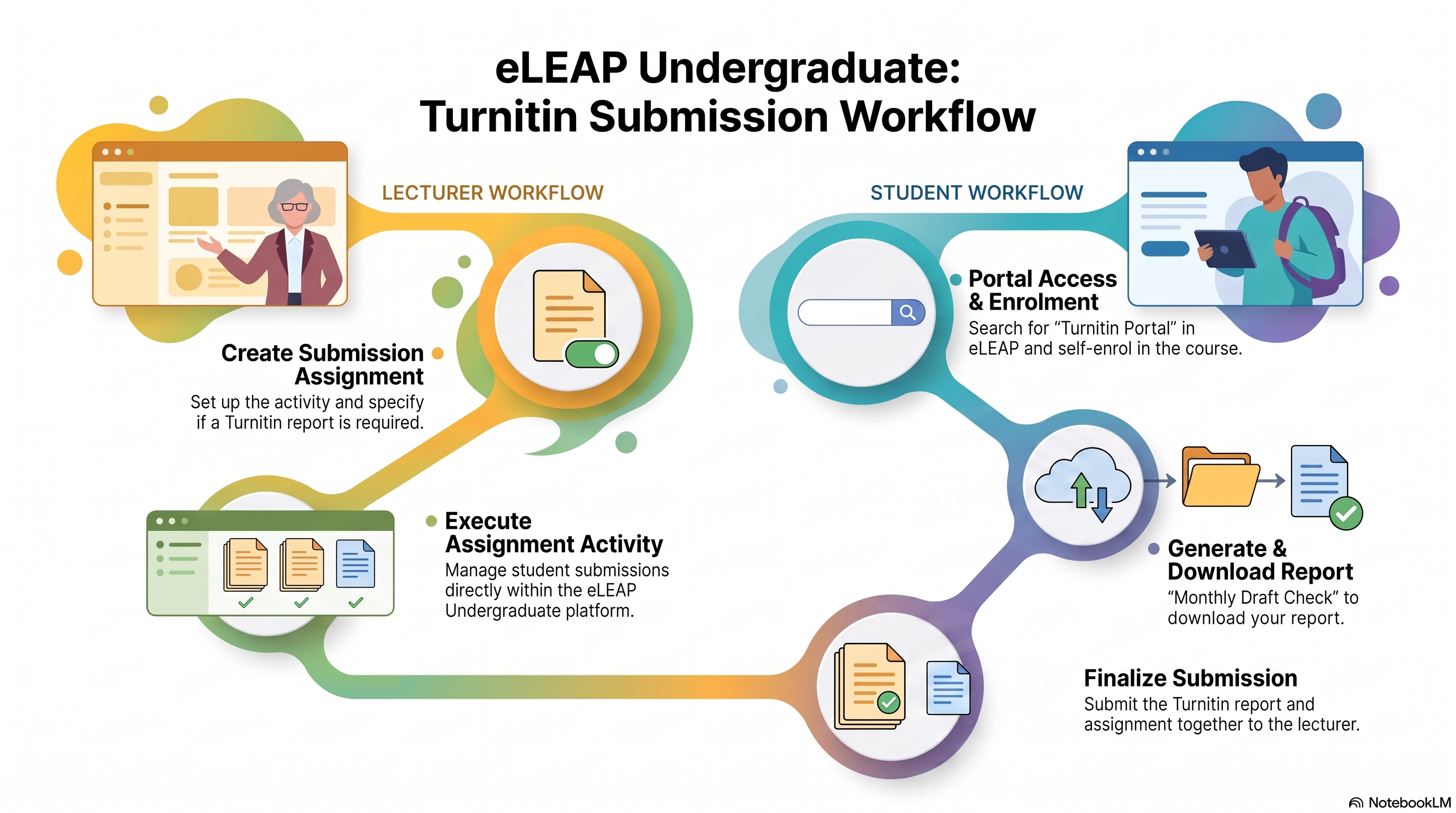
eLEAP Undergraduate: Turnitin Submission Workflow.

There is a standardized and centralized Turnitin Submission Workflow on the eLEAP platform. This process establishes a clear submission path for managing student assignment activity and plagiarism checks. 
 
This also means that CFLEX will turn off the use of the Turnitin Assignment Submission plugin.
 
💡Lecturer Responsibilities
  • Create Submission Assignment: When setting up an assignment submission activity within eLEAP, state clearly if you require a Turnitin report.
  • Setup Assignment Activity: Manage student submissions directly within your eLEAP course.
🎯Student Workflow Summary
 
Students will generate and present their Turnitin reports through the following process:
 
  1. Portal Access & Enrolment: Students search for "Turnitin Portal" in eLEAP and self-enrol to the portal.
  2. Generate & Download Report: They upload their document to "Monthly Draft Check" to generate and download their Turnitin report.
  3. Finalize Submission: Students submit both their Turnitin report and assignment document together to you on eLEAP.

Thank you and have a productive day ahead.

Use of Class QR Attendance in your online classes.

by Maclean anak Patrick Sibat -

Attention to all Course Instructor(s),

We have noticed the use of QR Class Attendance links embed directly into an online course as a URL link especially in instances of an asynchronous session(s).

We urge Course Instructor(s) not to do this, as the students will not be able to access the link. 

Access to the QR Class Attendance is only allowed for Academic Staff Members and any attempt by students; who click on the link, will be met with a request for login which in turn would tell them that they (students) do not have access to the class attendance system.

If the QR Class Attendance is required, please conduct the class as a live session.

Thank you and have a productive day ahead.

Open Forum for your forum needs.

by Maclean anak Patrick Sibat -

Attention to all Course Instructors,

We recommend the use of 'Open Forum' for your forum discussions.

Open Forum is designed to increase engagement. Open forum reduce complexity and works like the modern messaging systems students use every day on the web and on their mobile devices allowing users to read and post from their mobile or tablet.

Posting and replying are all done via ajax to save page loads, take less clicks and increase engagement, while maintaining the user's context in a discussion thread.

Open Forums contain a number of additional features including the ability to see who has engaged in a discussion before you open it, a setting to show recent forum posts on the course page, subscribing to individual threads, private replies and an option to allow anonymous posting, post bookmarking, along with all the features standard Moodle forums have.

Thank you and have a happy day ahead.

Older topics...